
To check if Advisor Web is operational or not, visit Advisor’s web status page at AdvisorWeb
This page displays the current system status in almost real time, as the page is refreshed every 5 minutes.
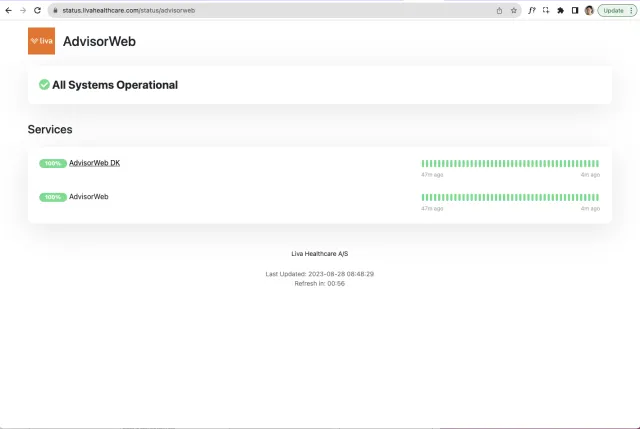
“All systems operational”
I you see the message “All systems operational,” it means the advisor web is working. In this case, you must check your own internet connection and make sure your browser is updated.
Issue or any outage
If there is a problem or outage with the system, the progress bar or some of its lines will turn red. This indicates that there are problems or an outage with the advisor web.
As always, if you are experiencing any issues with AdvisorWeb, please report them.
- Open “Liva Coaching Team Slack → General Channel → Message #general
- Take a screenshot and include it in the message
- Describe when the problem occurred.
- Overall, be descriptive as possible, this helps the team identify and fix the issue.